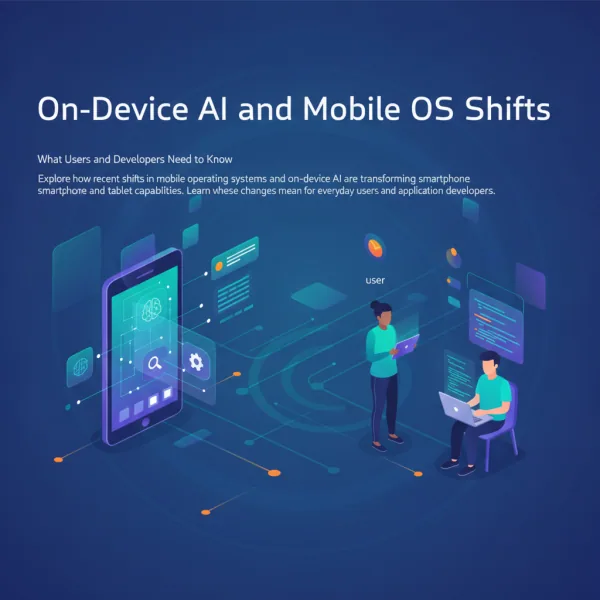

If you have checked your smartphone or laptop storage settings recently, you might have noticed a familiar culprit occupying a massive chunk of your gigabytes: system intelligence files. As major operating systems pivot hard toward fully integrated, on-device artificial intelligence, our mobile hardware is working harder—and carrying more digital baggage—than ever before. While running large language models and local machine learning tasks locally offers undeniable perks in privacy and offline utility, it comes with a steep hidden cost: rapid storage exhaustion and mounting pressure on everyday device performance.
For tech-curious professionals, developers, and everyday users alike, the modern mobile experience requires a delicate balancing act. How do we embrace the cutting edge of local intelligence without turning our pocket computers into sluggish, overstuffed digital storage lockers? Let us examine the real-world impact of this shift and look at practical ways to reclaim control over your mobile hardware.
The Double-Edged Sword of On-Device Mobile AI
For years, mobile operating systems focused primarily on media files, high-resolution app caches, and bloated software packages as the primary drivers of storage anxiety. Today, foundational AI weights, persistent context caches, and on-device vector databases have joined the fray. When an operating system downloads multiple gigabytes of neural network parameters just to summarize text messages or generate predictive text locally, it fundamentally alters the storage footprint of the device.
The engineering rationale behind local processing is sound. By keeping sensitive data processing on the device, platforms eliminate round-trip latency to the cloud and drastically reduce privacy vulnerabilities. However, this decentralized approach forces hardware to shoulder burdens traditionally handled by massive server clusters. When local storage fills to the brim, the ripple effects touch everything:
- Write Amplification and Flash Wear: Constantly swapping heavy AI model checkpoints and updating local vector databases can increase wear on internal solid-state storage.
- RAM Contention: Operating systems often keep portions of these models resident in memory for instant response times, leaving less volatile RAM available for heavy multi-tasking.
- Thermal Throttling: Background model execution generates heat, leading to aggressive thermal management that throttles CPU performance right when you need it most.
What This Means for App Developers and IT Strategists
The storage footprint inflation caused by on-device intelligence changes the game for software developers and enterprise mobile strategists. Building lightweight mobile applications is no longer just about writing efficient code or compressing image assets; it now requires a deliberate strategy around resource sharing.
Because operating systems increasingly provide native, system-level AI models, developers should look toward leveraging shared system APIs rather than bundling custom, redundant machine learning models inside individual app binaries. Shipping heavy proprietary models inside an app package is quickly becoming an anti-pattern. Instead, modern mobile architecture favors modular dependency injection, where apps request inference tasks from the host OS or fetch lightweight, task-specific micro-models dynamically only when explicitly required.
Actionable Strategies to Optimize Your Mobile and Desktop Environment
If your device is groaning under the weight of modern operating system features and local intelligence frameworks, you do not have to accept sluggish performance as the new normal. Here is a practical checklist for auditing and reclaiming your device capacity:
- Audit System Storage Breakdowns: Dive deep into your system settings beyond the basic app list. Look closely at categories labeled "System Data," "AI Models," or "Cached Files" to identify where gigabytes are quietly disappearing.
- Disable Unused Intelligence Features: If you rarely use advanced text generation, automatic photo categorization, or local semantic search, check your settings menus for toggles to turn off specific AI features and safely purge their associated model assets.
- Leverage Cloud Offloading for Cold Data: Keep active workflows local, but establish aggressive offloading policies for historical data, unused app caches, and infrequently accessed media libraries.
- Embrace Minimalist App Ecosystems: Regularly review third-party apps that duplicate functionality already provided natively by your operating system, especially those with heavy local caching layers.
Striking the Right Balance
The evolution of mobile technology is moving at a breathtaking pace, and on-device intelligence is not a passing fad—it is the foundation of the next generation of computing. However, raw power must be matched with smart resource management. By understanding how these advanced systems consume our hardware, we can make informed choices that keep our devices fast, responsive, and tailored to our actual needs.
Ultimately, technology should serve the user, not the other way around. Taking a few minutes to audit your storage, prune unnecessary neural assets, and fine-tune your device settings ensures you get the benefits of modern mobile innovation without sacrificing hardware longevity or daily peace of mind.
More about on-device mobile ai
Want to go further with on-device mobile ai? These Netstech guides and services are a good next step: